Features
Everything a contracting job needs, in the order it happens.
GIRDERA is organised by the job’s flow — win it, set it up, do the work, get paid and hand over — with control and people around it.
Win the job
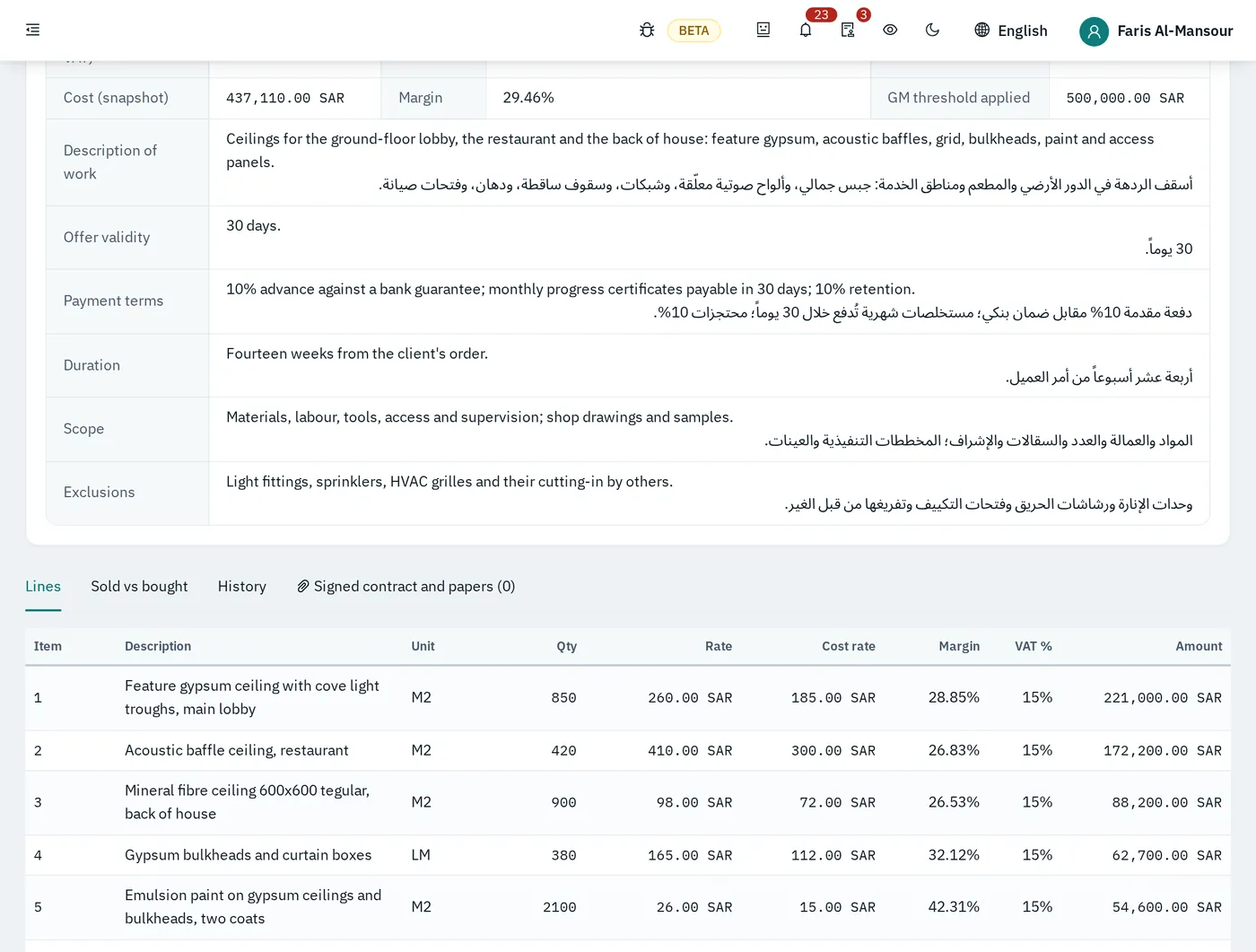
Price with confidence, approve what matters, and send a quotation the client can read in either language.
Client quotations from cost build-ups
Each line is priced from a build-up of material, labour and equipment, so the rate has a reason behind it. Quote for a tender, extra works, or a client with no project yet.
Margin on every line, before sending
Cost rate, selling rate and margin sit side by side. Thin lines stand out before the offer leaves the office, not after the contract is signed.
GM approval above a threshold
Set the value above which a quotation needs the General Manager. Below it, the normal approval chain is enough; above it, the offer waits — and the GM sees it on the start page.
Printed in Arabic and English side by side
The printed quotation carries both languages on one page, with your letterhead, terms, scope and exclusions. Accepted, it becomes the client contract, a variation or a new project.
Set up the project
Everything the job needs before the first order: the contract terms, the BOQ, and a budget the whole team works against.
Projects and client contracts
The project page holds the client, the contract in force, progress, revenue certified and margin. Signed contracts and papers are attached to it.
Retention, advance payment, performance bond
Retention percentage, advance payment and its recovery, and the performance bond with its expiry are recorded once on the contract and applied on every certificate.
Billing windows
Record when the client accepts certificates — for example the 25th to the 5th — so measurement and certification are ready inside the window.
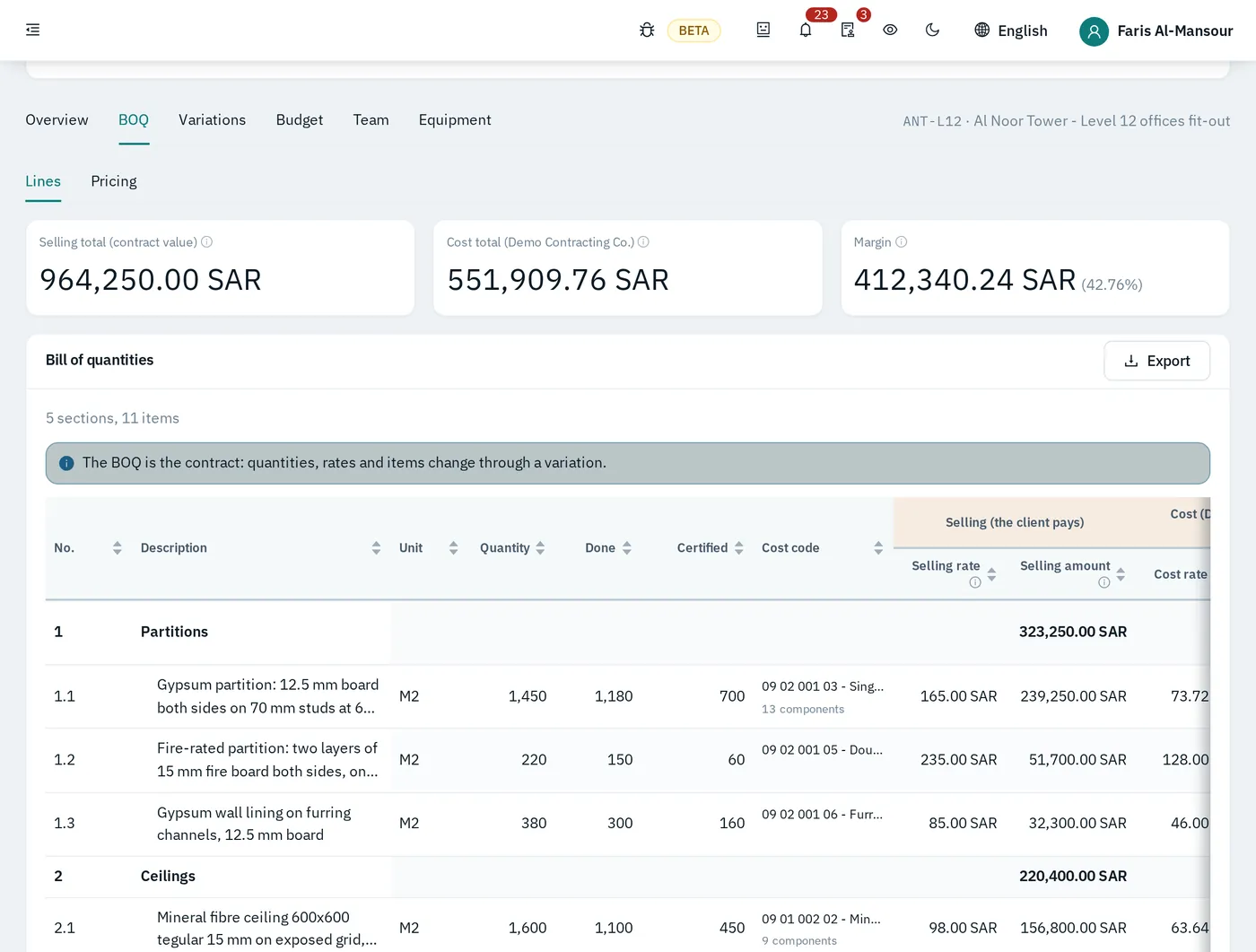
BOQ priced from supplier quotations
Selling rates come from the contract; cost rates come from real supplier quotations and build-ups. The BOQ shows the margin of the whole job before work starts.
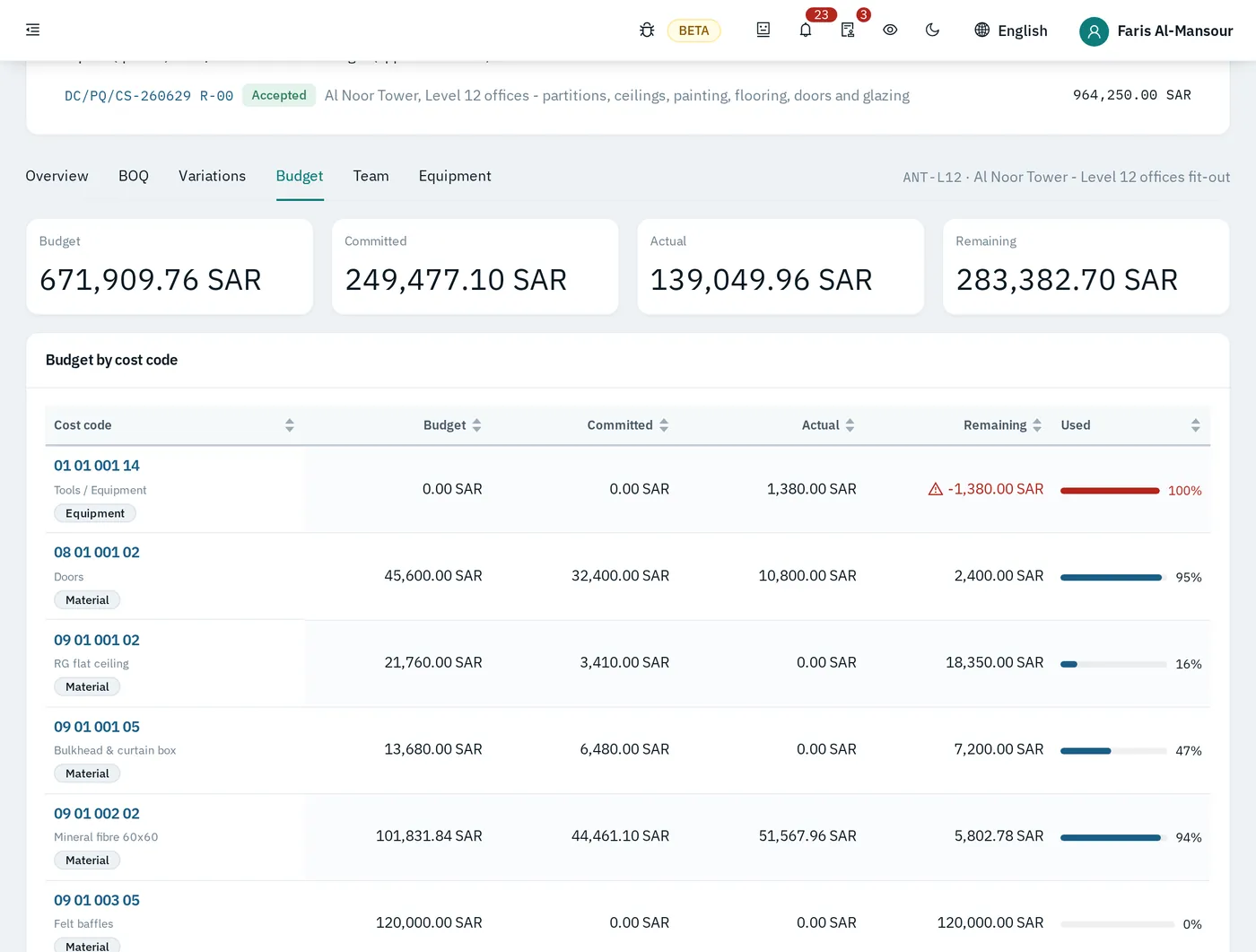
Budget by cost code
Each cost code gets its budget. From then on the page shows committed, actual, remaining and the percentage used — line by line, as the job moves.
Do the work
Buying, receiving, stores, site attendance and equipment — each step recorded by the person who does it, against the project and its cost code.
Material requests
The site asks for what it needs against the BOQ item and cost code. Cost control checks it against the budget before anything is bought.
Supplier quotations
Collect and compare vendors’ offers for the request; the chosen one carries its prices into the order.
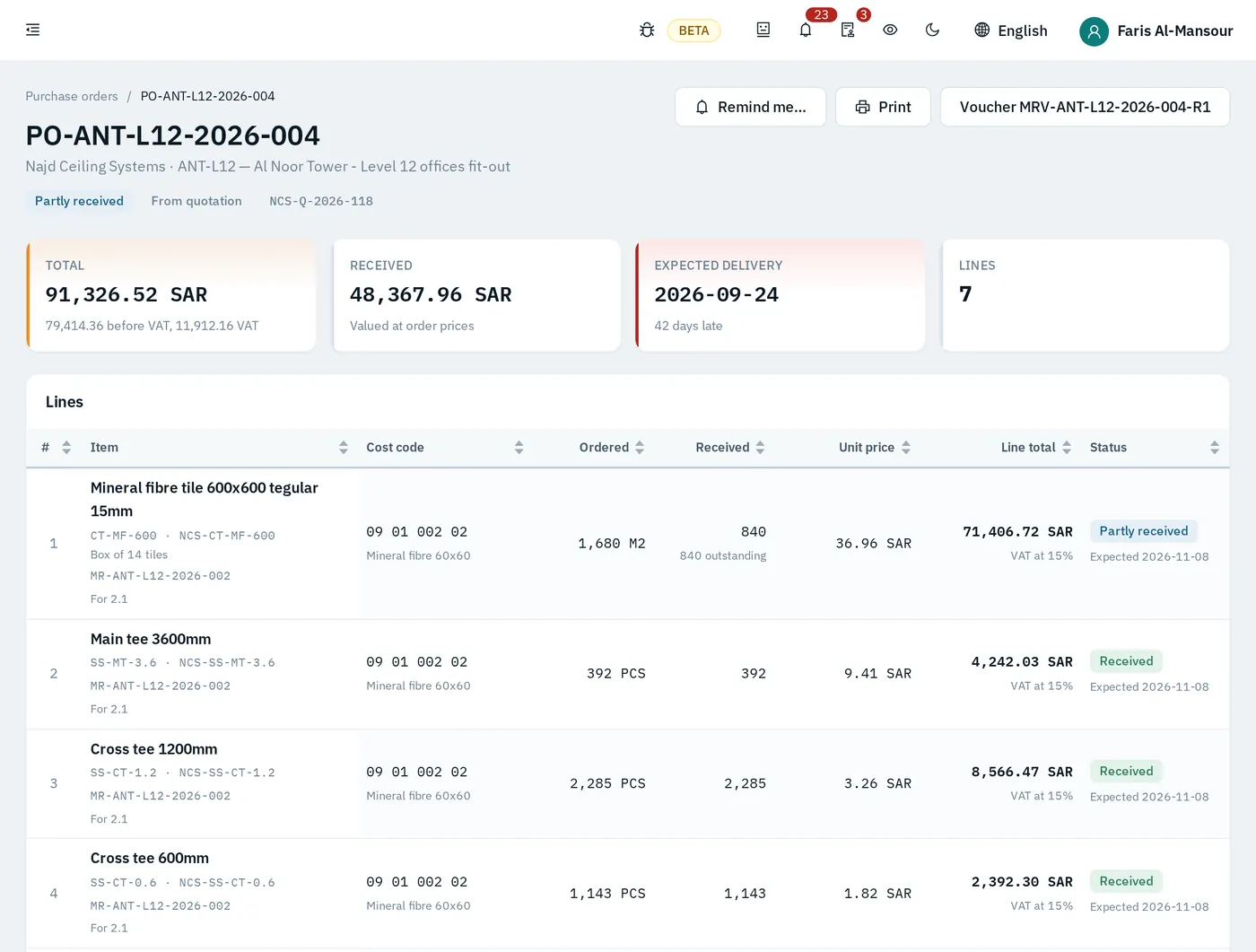
Purchase orders through an approval chain
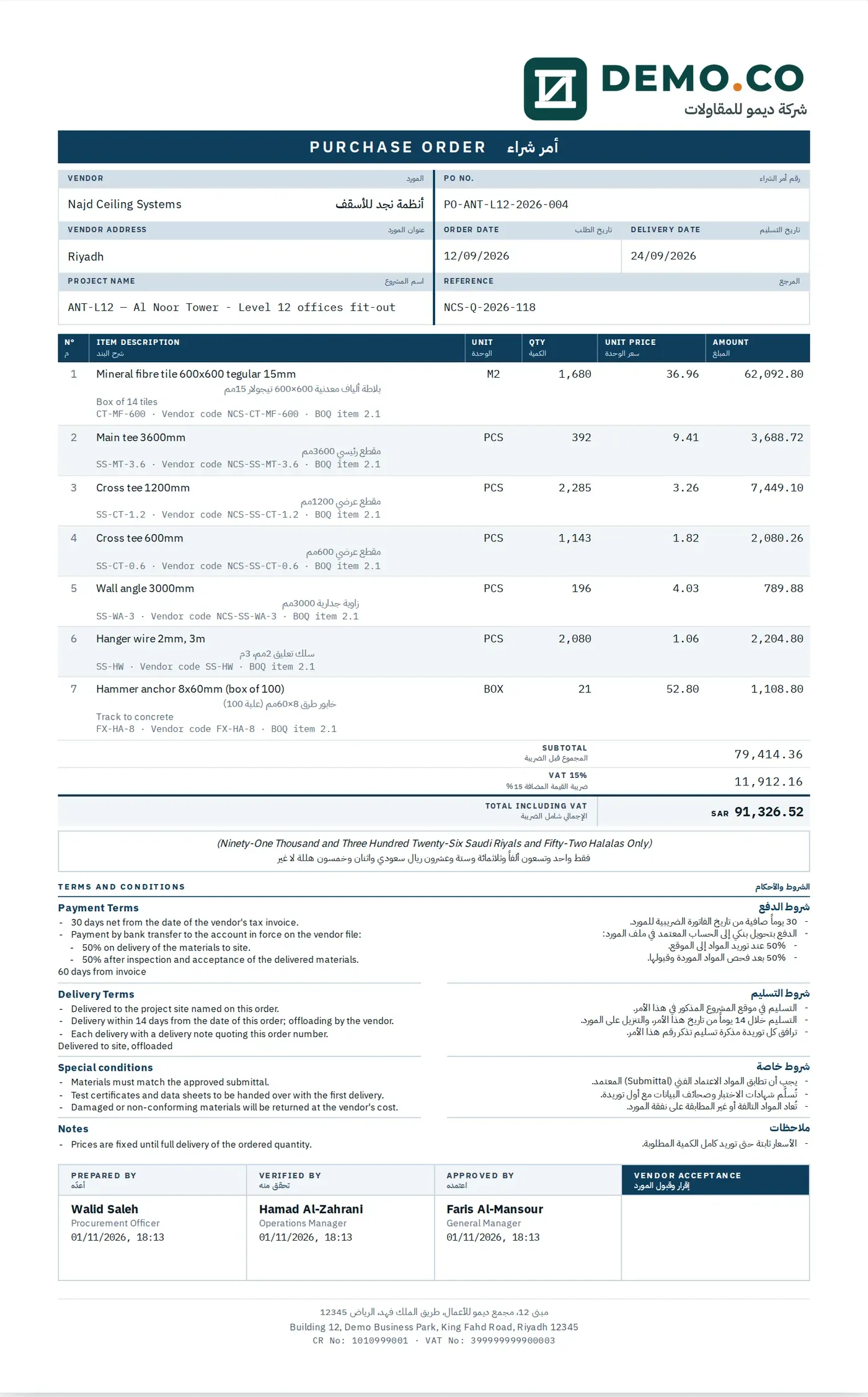
Prepared, reviewed, approved — by different people, each step named and timed. High-value orders add the GM’s final approval.
Sent to the vendor as PDF, with numbered amendments
The issued order goes to the vendor as a bilingual PDF. A change in quantity, price or terms is a numbered amendment that passes the chain again and is sent the same way.
Subcontractor work orders
Work orders for subcontractors with their own certificates, retention and amendments — on the same cost codes as everything else.
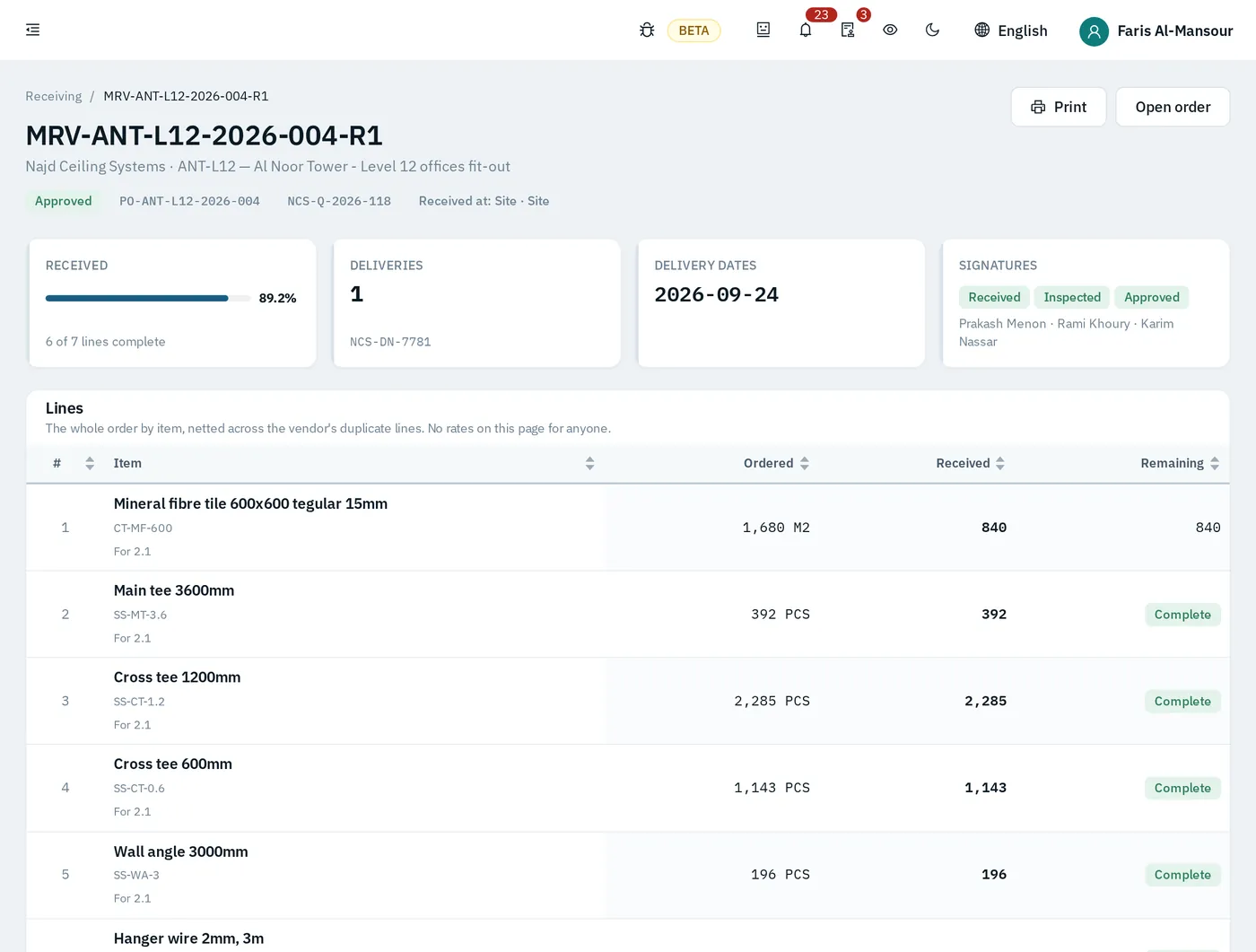
Receiving vouchers checked against the delivery note
Stores record what actually arrived, line by line, against the order and the vendor’s delivery note. Partial deliveries stay open until the rest comes.
Stores, issues to site, returns
Stock on hand per store, material issues to the site and returns or excess back to the store — each one a movement with a cost.
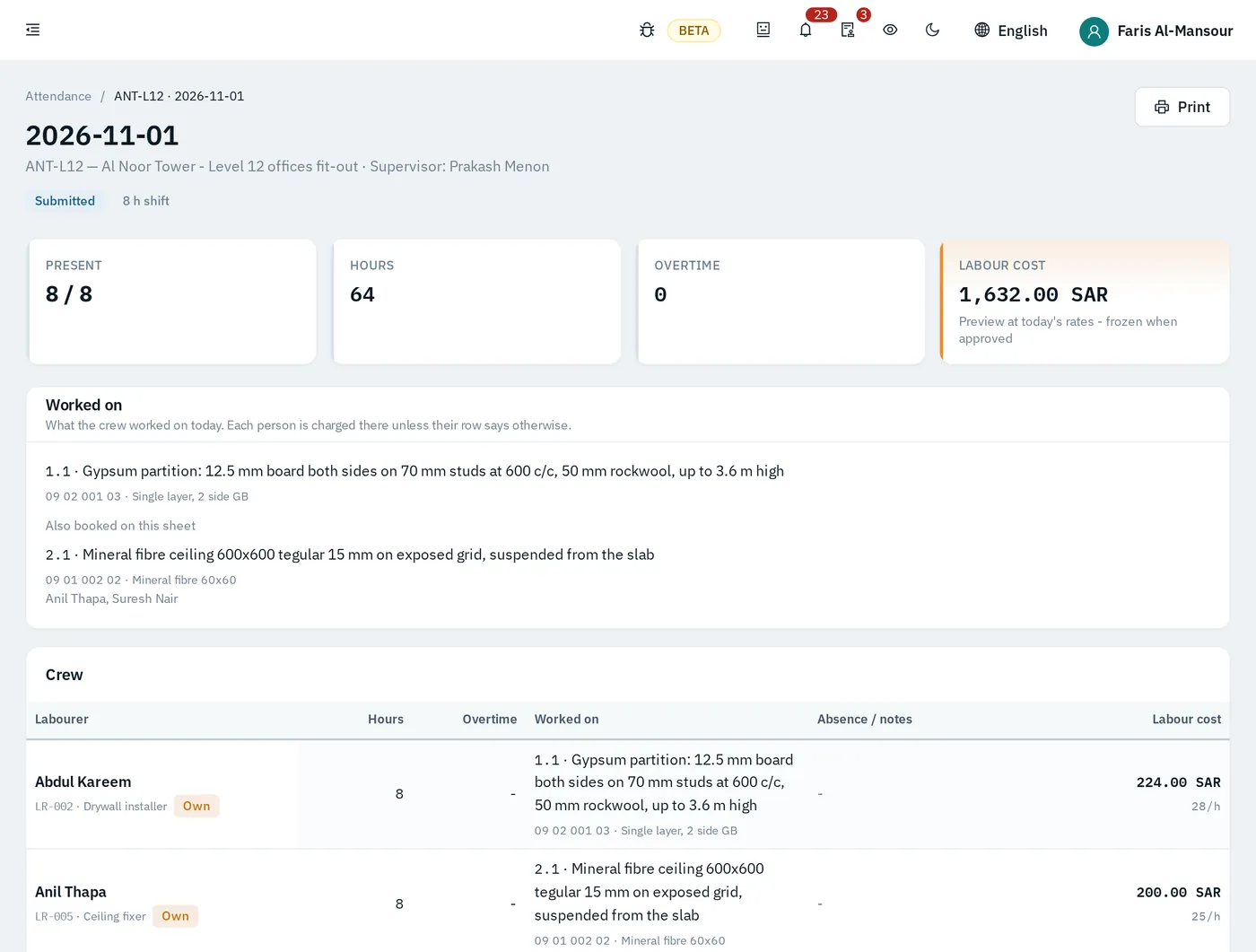
Daily site attendance
The supervisor records the crew, hours, overtime and what each person worked on. Own and outsourced labour are kept apart.
Labour cost frozen at approval
When the sheet is approved, the labour cost for that day is fixed on the project and its cost codes. Rate changes later do not rewrite the past.
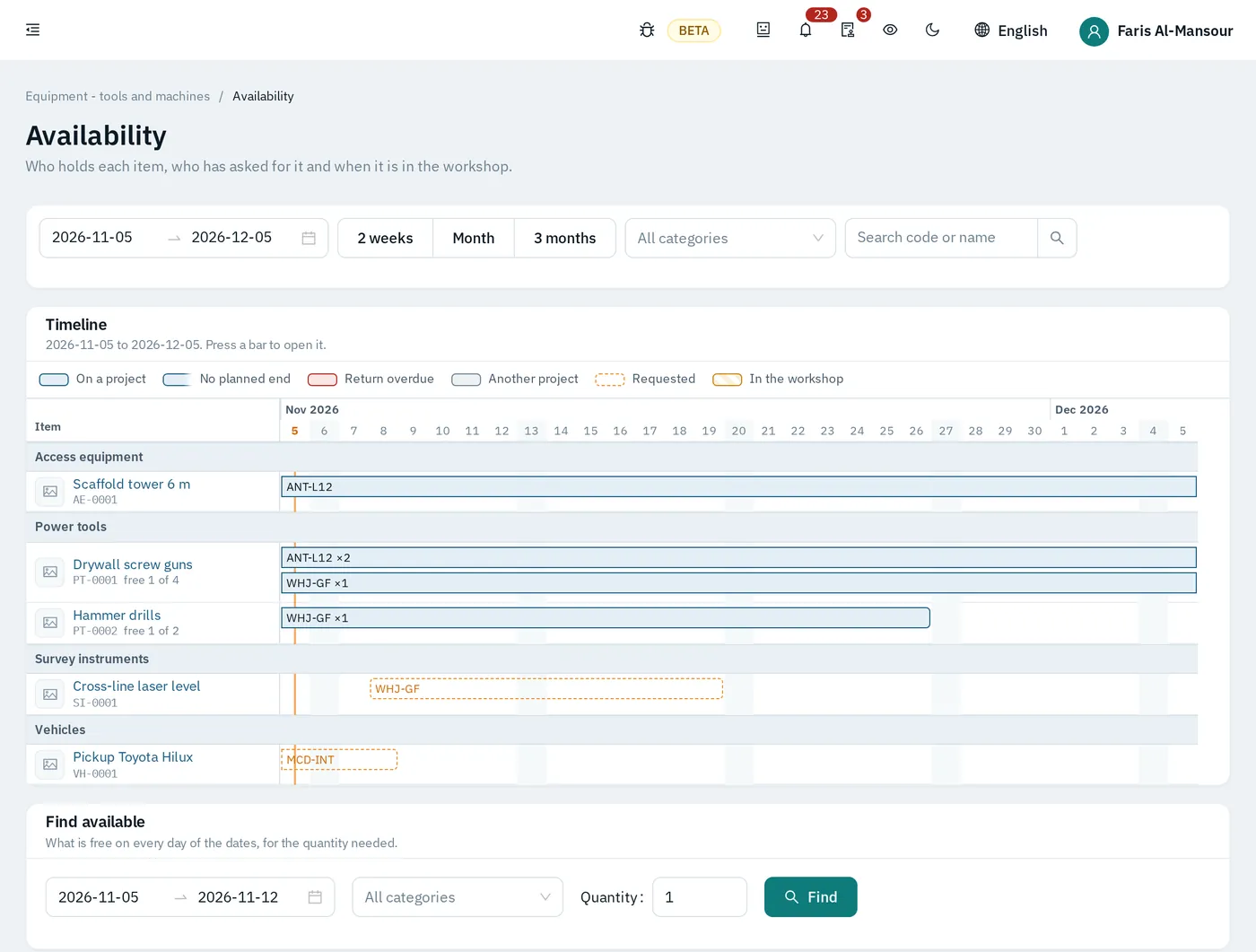
Equipment and tools
Allocation to projects on a timeline, day rates charged to the job, maintenance due dates and depreciation — for every tool, machine and vehicle.
Get paid and hand over
Turn measured work into certificates the client accepts, pay what you owe, keep VAT straight, and close the month and the job.
Measurement and variations
Record quantities done against the BOQ. Variations are priced, approved and added to the contract value — with their own history.
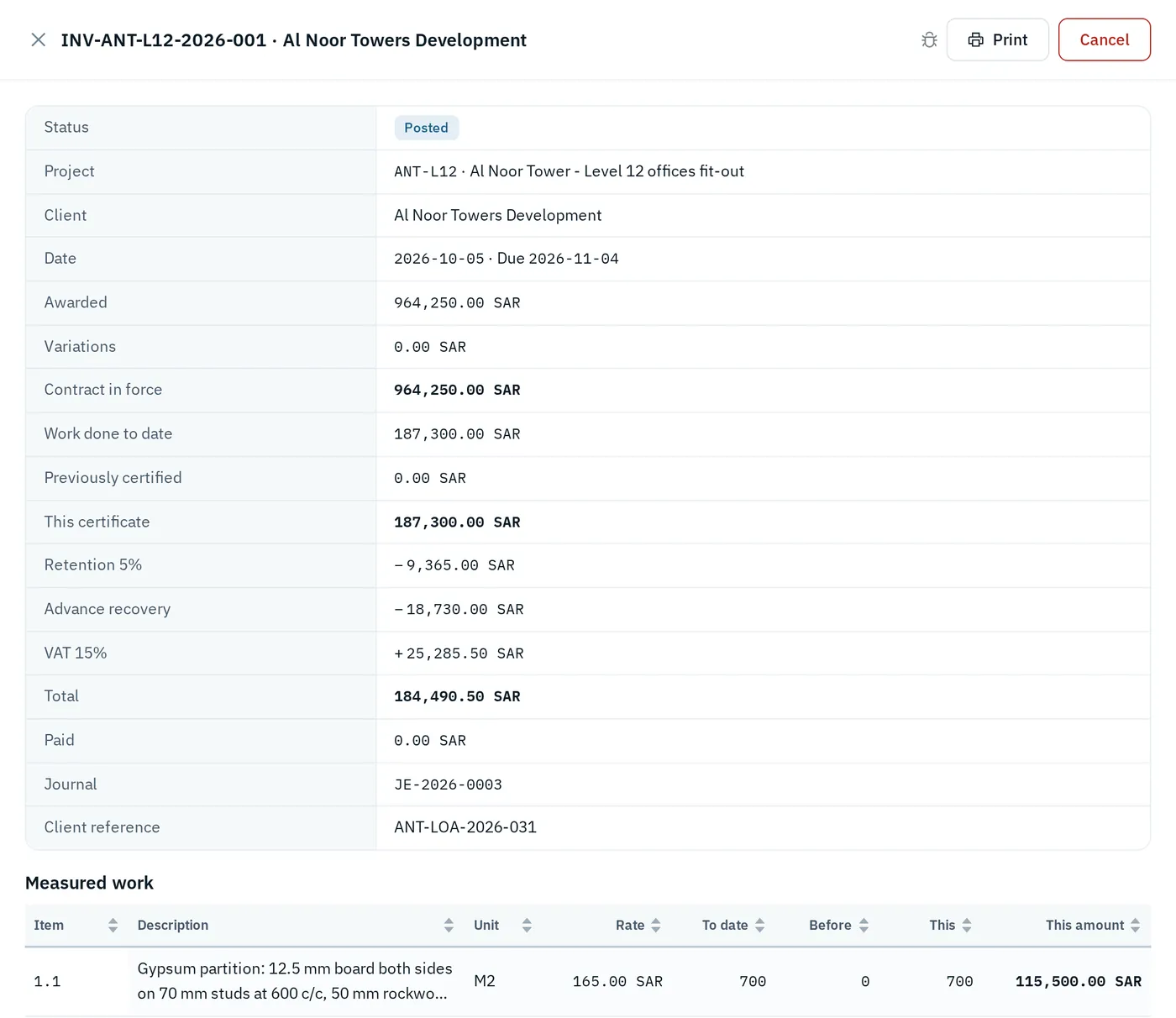
Client progress certificates
Work done to date, less what was certified before, less retention and advance recovery, plus VAT. The certificate shows every step of the sum.
Vendor bills and payments
Vendor bills are matched to the order and to what was received. Payments are recorded against them and the cost lands on its code.
VAT returns
Output and input VAT come from the certificates and bills themselves, ready for the period’s return.
Month-end close
Accruals, journals and a closed period that nobody posts into by accident.
Handover and retention release
The project tracks the handover and the defects period, and what retention is held by the client and from each subcontractor until it is released.
Control
The view from the top, the record underneath, and an assistant that answers from your own data.
Executive view
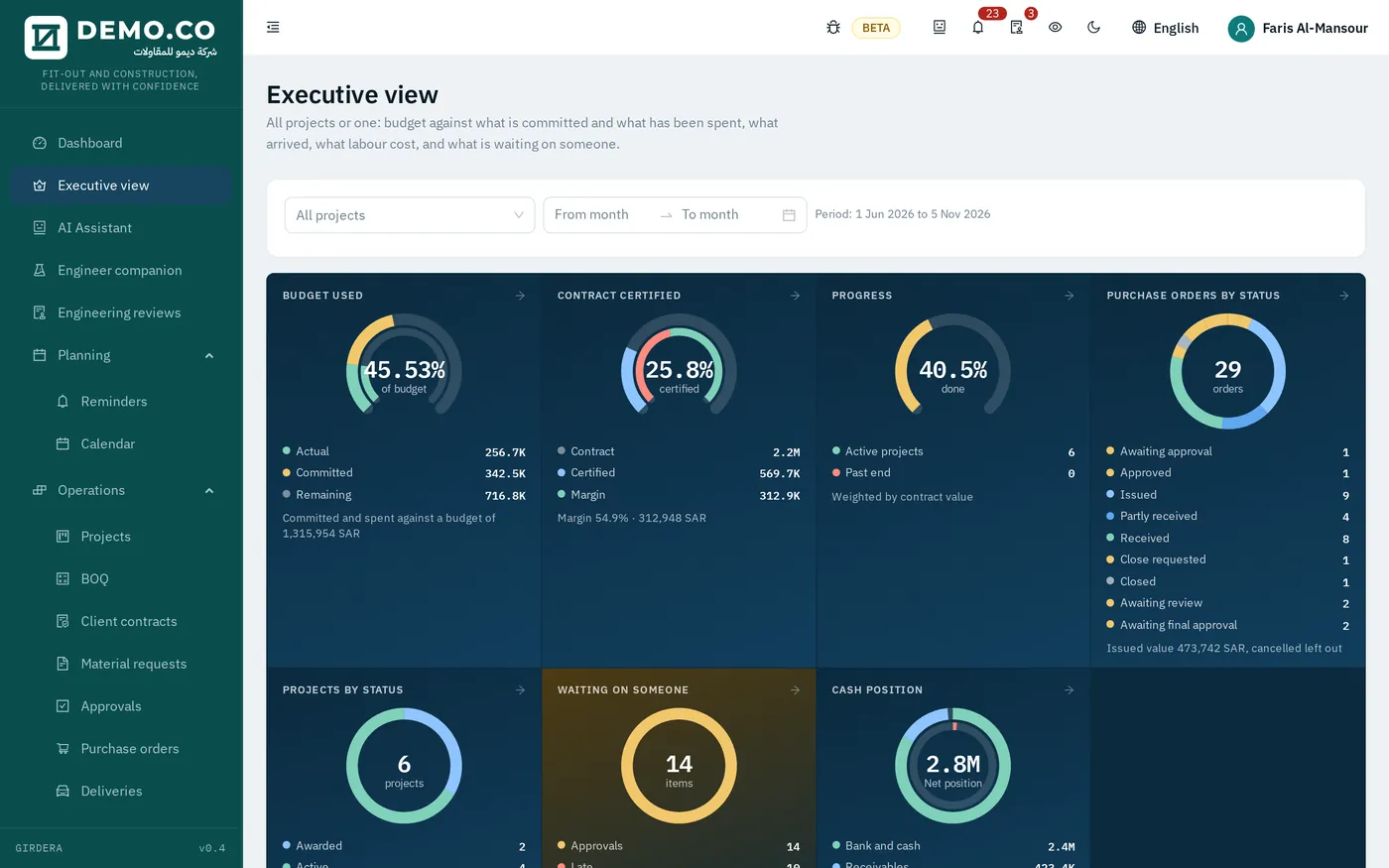
Budget against actual for every project at any time: budget used, contract certified, progress, orders by status, cash position and what is waiting on someone.
Reports with Excel export
Standard reports for cost, buying, stores, site and HR, each one exportable to Excel for the people who still need a spreadsheet.
Built-in AI assistant
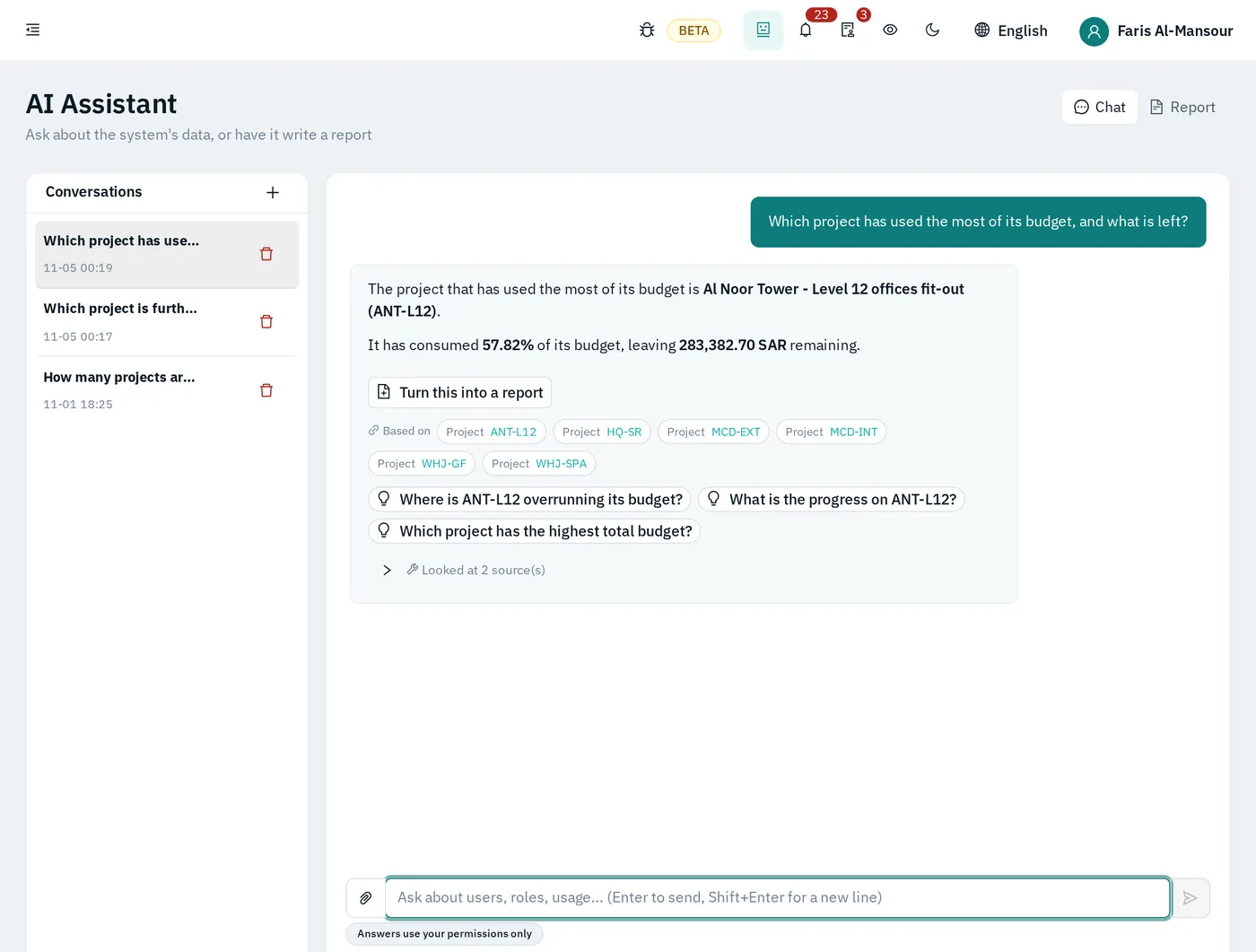
Ask in Arabic or English — “which project has used the most of its budget?” — and get an answer from your company’s own records, with links to the source. It sees only what your permissions allow.
Document library
Contracts, quotations, delivery notes and photos attached to the record they belong to, and findable in one library.
Audit log
Who changed what, and when — for every record. Approvals are kept with the name and time of each step.
Roles and permissions
Each role sees its own work. Who may prepare, review and approve is set per role, so no one approves their own request.
Arabic and English everywhere, installable on phones
Every screen and printed document in both languages, right-to-left where it should be. Install it on a phone from the browser — the site team uses the same system as the office.
People
HR for a contracting company: office staff and site labour, Saudi and expatriate, with the papers that come with them.
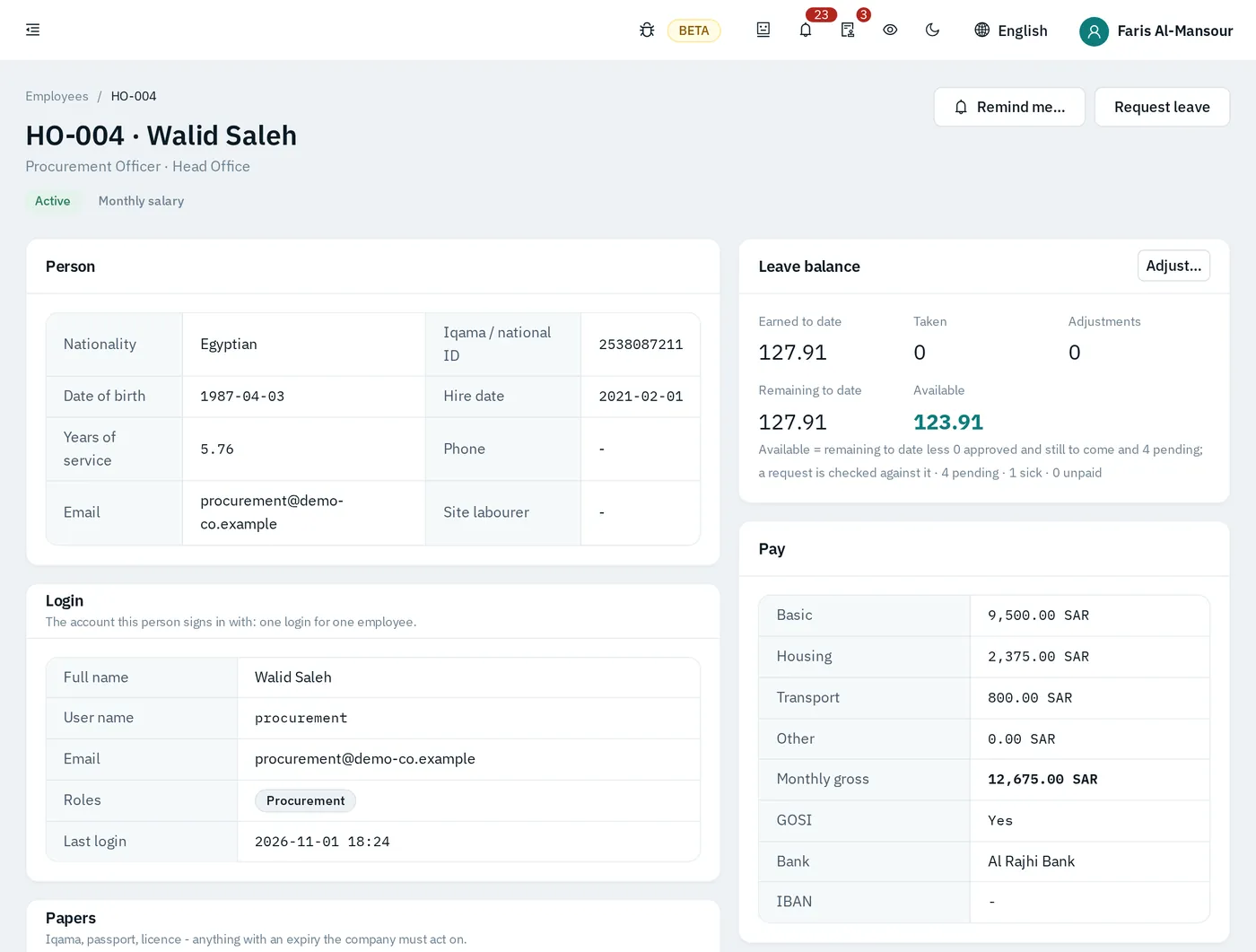
Employees, Iqama and papers
Each person’s file with Iqama, passport, licences and contracts, and reminders before anything expires.
Leave, air tickets, exit re-entry
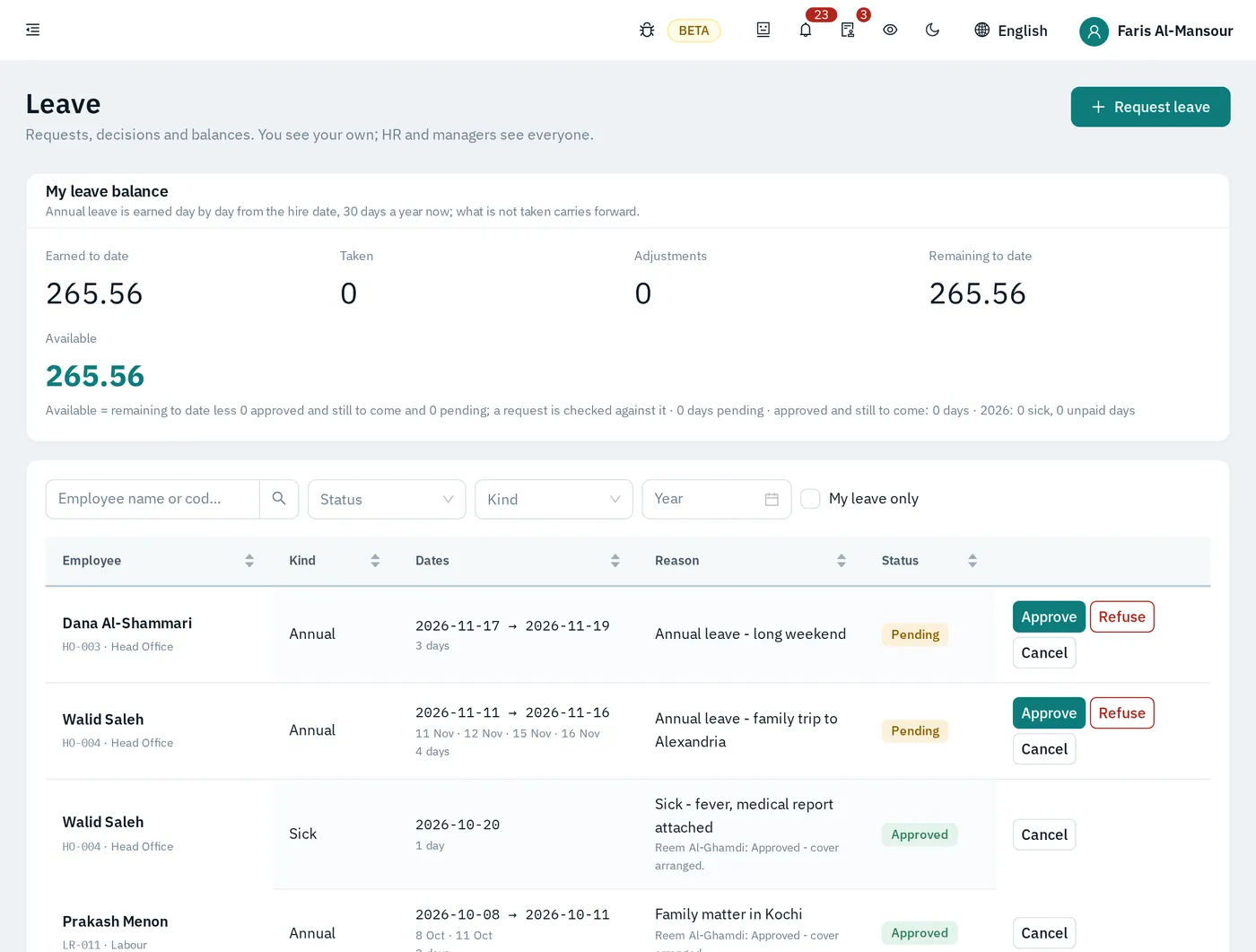
Leave requests and balances, ticket entitlement and exit re-entry visas, approved by the manager and HR.
Payroll and GOSI
Monthly payroll with allowances and deductions, GOSI contributions, and the cost of each person spread across the projects they worked on.
End of service
End-of-service provision built up month by month, and the settlement prepared when someone leaves.
Recruitment
Vacancies, candidates and offers, through to the new employee’s file.
See your own job run through GIRDERA.
Book a demo and we will walk a real contracting job through the system with you — quotation, purchase order, site sheet, certificate.